
DRAW IT ALL





Users don't ask much from computer-aided drawing software. Just everything.
By Edmund X. DeJesusSpecial to GCNUsers don't ask much from computer-aided drawing software. Just everything.They want a drawing tool with enough precision to render the details of a rocket engine and enough leeway to place a desk 'right about there.' They want the ability to perform computer-intensive graphics manipulations'and to perform them on their desktop PCs. They want to be able to design everything from the circuitry of a microchip to the layout of an office building, from the scrollwork on a menu to the seating arrangements in a conference room.They want the sophistication of a drawing language that can handle the most complex and intricate specifications, and they want a simple interface that's intuitive and requires no training. And they want it cheap.Is that too much to ask?Apparently not, judging by the number and variety of CAD applications that are available. Users have quite a smorgasbord of offerings to choose from. And don't feel that you have to leave your wish list behind. There are CAD programs that perform practically any kind of drawing you want to do, on practically any platform you want to use, and within practically every reasonable budget. But you have to know what to look for.Historically, CAD software required fast, specialized machines that had the horsepower to manipulate the swarm of graphical elements necessary for engineering-grade designs. In fact, most CAD tools started out as systems that consisted of software wedded to a specific bundled hardware platform. The change in this setup is one of the main trends affecting CAD today.Today's desktop PCs are technically equal to the early, specialized CAD stations. A typical PC has an extremely fast microprocessor, lots of RAM, a voluminous hard drive, a dedicated display card with its own memory, and probably math and graphics coprocessors to help with the heavy lifting. In other words, most desktop machines are CAD-capable right out of the box.The change in capability of an average computer has not been lost on CAD vendors. They see the vast numbers of CAD-worthy machines and have responded appropriately. Most major CAD vendors offer versions of their flagship systems that have requirements that aren't much different than the specifications of your desktop machine.Vendors also offer lighter CAD applications'that is, lighter on the resource demands and lighter on the budget. CAD vendors are taking advantage of the larger potential market for CAD products that new, high-powered PCs make possible.This has led to yet another trend. In the past, the typical use of a CAD package was probably for engineering, performed by highly trained and mathematically sophisticated engineers. They used CAD to design devices, buildings and complex processes. But with more widely available potential CAD platforms, the profile of the typical CAD user has changed.For one thing, users perform tasks that are far less technical. They may create an organizational chart or a LAN topology. For another, they use CAD for a greater variety of tasks. The same person may lay out a wing of a library, design its logo and diagram the checkout process'all on the same system.The result is that CAD packages now are oriented less toward specialized, technical tasks and more toward common drawing tasks that pop up in every office and agency in the world. In addition, a single drawing system is now capable of many different tasks, such as laying out offices, creating organizational charts, illustrating processes and workflow, and drawing signs or illustrations.Clearly, there is a far larger market for common tasks than for designing jet engines. But a CAD vendor's product isn't going to appeal to that larger market just because it can do more of the everyday drawing tasks that we all need help with occasionally.Besides being designed to perform the everyday task, CAD applications must also be designed for the everyday user. Not everyone who uses CAD is an engineer. A user is just as likely to be a manager, a secretary or a webmaster.For these users, CAD vendors cannot offer a product dependent on arcane, math-laden CAD languages. They need to employ simple and intuitive user interfaces that require little or no training. In fact, they probably use wizards: pieces of software that take in your preferences'offering a choice of a few standard layouts, colors and fonts, for example'and produce a draft that you can tinker with to suit your need. Simplifying the CAD process is another major trend.Simpler software produces a wider audience for CAD products and has another effect. Those CAD-proficient engineers probably used to spend most of their time with that one application. It was all they ran. But today's users see CAD as one of many tools that include word processing, spreadsheet, presentation and communications software. CAD is not their sole function. They pick up CAD when they need it, use it and put it away when they are done. For such sporadic use, CAD cannot require a lot of mental space.The new, simpler systems let CAD step up to the front ranks of office software tools. This trend probably will continue. Don't be surprised to find CAD applications as part of office suites or to find office suites gaining CAD capabilities.'This illustrates yet another trend. Although CAD used to be a nearly standalone activity, the output of today's software might well end up in a word processing file, on a spreadsheet or within a presentation. Today's CAD must interface smoothly with other applications. CAD software has to import and export in a variety of formats. The days of proprietary CAD formats are over. If a system can't create a .gif file that can end up on a Web page, it's history.CAD applications must run on ordinary operating systems and make use of standard data transfer methods. Don't laugh: Some CAD systems used to run only within their own specially designed operating systems. That won't work today. CAD has to be as well-behaved as any other application on your desktop and play nicely with everything else you run.What do these trends mean for you as you consider buying CAD tools? Mostly good things, fortunately. Let's run through a typical acquisition scenario and see how these trends come into play.Suppose you have task that requires creating an image. You may be designing an office layout, documenting a process or illustrating a newsletter. That is the first step: Identify what it is you want to accomplish.When it comes to drawing, don't be surprised if you come up with more than one answer. You may have to perform some tasks mentioned already. You may also think of other tasks that you anticipate performing in the future. You may even contemplate tasks that you might perform if you did have CAD software. The more specific and concrete you can make your list of drawing tasks, the better. Those tasks will form the criteria you use to judge CAD software.Your next consideration is the platform the software will run on. Do you intend to run CAD on your PC? You may need a little leeway here. It is true that the new CAD applications are designed for the latest PC systems, but you might need to do a little tweaking. Memory is usually the real killer. Also, because graphics files can grow unmercifully large, you might consider adding removable media drive to store the beasts.Moreover, Microsoft Windows NT may be the only Windows version of the CAD software you are interested in'you may have to bid adieu to 3.1 after all.Who will use the software, and how sophisticated a user are they? It would be unfair to saddle an innocent mouse-pusher with a CAD application that requires an engineering degree. Usually, the task itself is the best guide to the level of CAD you want to look at, but all that box-talk about Bezier curves and extruded surfaces may turn your head.Be firm and realistic about the purpose of your CAD software. You aren't designing the Pluto Explorer, you're creating organizational charts. You know you're in the wrong aisle if the user's manual opens with a brisk review of calculus.When it's time to go shopping, expect to be overwhelmed. There's a lot out there. Stick to your objectives, and ignore anything that does not match a reasonable wish list. Narrowing your choice to a handful of candidates will not be too difficult. You may well acquire a demo or trial version of each for a test drive.Many vendors offer a money-back guarantee: Take advantage of it. Different people like different kinds of CAD, and you never know how good the fit will be until you try it on. One user's intuitive interface is another's torture from Hades.Don't pay more than you have to. Many excellent packages cost thousands, and many good-enough ones cost only hundreds. More expensive does not mean more likely to satisfy your criteria. The suitability to your tasks, the match to your platform and the fit to your users' needs are the important factors. Try paying less; you'll like it.This is a good time to be a CAD buyer. Great applications with amazing capabilities that run on most hardware are everywhere, all chasing you, the customer. What a great picture that would make. Edmund X. DeJesus writes about information technology from Norwood, Mass.
Flash from the past
A variety of CAD products sells from $100 to more than $5,000
Plays with others
Think about NT
Best of times
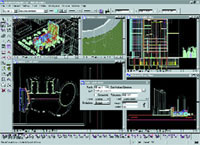
Bentley Systems' MicroStation TriForma
| Matchmaker, matchmaker . . . | |
Match the product to your tasks. If you're deciding where to place a desk in an office, you don't need architectural CAD software. If you're designing your new headquarters building, room layout software won't cut it. Match the product to your users. If your users are office workers, don't burden them with heavy-duty engineering CAD. If your users are engineers, don't underequip them with organizational chart software. | Match the product to the personality. If a user is not analytical or technical, an application with intricate commands will not work out. If a user appreciates technical precision and complexity, close-enough graphical interfaces won't cut it. Match the product to your platform. If you must use underpowered computers, don't expect much graphical wizardry from high-end CAD software. Be willing to upgrade your PC to take advantage of the software. |
Flash from the past
A variety of CAD products sells from $100 to more than $5,000
| Vendor | Product | Purpose | Platforms | Other features | Price |
Ashlar Inc. Santa Clara, Calif. 800-877-2745 www.ashlar.com | Vellum | Professional CAD | Windows 95, NT, Mac OS | Has good user interface | $3,000 |
Autodesk Inc. San Rafael, Calif. 415-507-5000 www.autodesk.com | AutoCAD 2000 | Industry-standard professional CAD | Windows 3.1, Win9x | Has drawing and object management | $3,750 |
AutoCAD LT 98 | Professional CAD | Win9x, NT | Is AutoCAD-compatible | $489 | |
| AutoSketch | Drawing | Win95, NT | Can use files from some | $100 | |
Bentley Systems Inc. Exton, Pa. 610-458-5000 www.bentley.com | MicroStation TriForma | Architectural modeling | Win95, NT, Mac OS | Works in all architectural structures | $5,325 |
MicroStation | Professional CAD | Same | Has high-end capabilities | $4,000 | |
CAD Technology Corp. Franklin, N.C. 704-369-3979 www.cadtechcorp.com | Various symbol libraries | Include within CAD drawings | Any | Has a wide variety of standard symbols | $50-$250 |
Corel Corp. Ottawa 800-772-6735 www.corel.com | CorelDRAW | Drawing | Win9x, NT, Mac OS | Includes template and art library | $400 |
Diehl GraphSoft Columbia, Md. 410-290-5114 www.diehlgraphsoft.com | MiniCAD VectorWorks | Engineering CAD | Win95, NT, Mac OS | Is object-based | $500 |
Deneba Software Miami 800-733-6322 www.deneba.com | Deneba CAD | Architectural and engineering drafting and design | Mac OS | Performs 2-D and 3-D modeling and rendering | $550 |
Geopak Corp. North Miami Beach, Fla. 305-944-5151 www.geopak.com | Geopak Site | Engineering site design | Win95, NT | Has modules that are available separately | $3,000 |
IMSI San Rafael, Calif. 800-833-8082 www.imsisoft.com | TurboCAD Professional | Professional, programmable CAD | Win9x, NT | Has integrated Internet access, photorealistic rendering; shares AutoDesk and MicroStation files | $300 |
TurboCAD Standard | 2-D and 3-D CAD | Win9x, NT | Same | $100 | |
Intergraph Corp. Huntsville, Ala. 205-730-2000 www.intergraph.com | SmartSketch | User-friendly CAD and drawing | Win95, NT | Does CAD plus everyday drawing | $225 |
Micrografx Inc. Richardson, Texas 800-733-3729 www.micrografx.com | iGrafx Business | Business drawing | Win9x, NT | Includes wizards, HTML publishing | $200 |
Vibrant Graphics Inc. Austin, Texas 512-250-1711 www.vibrant.com | Liquid Speed | Speed and simplify CAD operation | Win9x, NT | Is an AutoCAD add-on | $495 |
Visio Corp. Seattle 800-446-3335 www.visio.com | Visio Standard | Diagramming | Win95, NT | Includes shapes | $150 |
IntelliCAD | Professional, programmable CAD | Win9x, NT | Is AutoCAD-compatible | $500 |
Plays with others
Think about NT
Best of times