
SOMETIMES IT PAYS TO SPEND BIG





Next to a CPU, a monitor is probably the most important component of any computer system you buy. After all, if you cannot see what you're working on, all the power, speed and storage capacity of a high-end PC is wasted. And for engineering, computer-aided design and manufacturing, graphics or desktop publishing tasks, high-resolution 21-inch or larger displays are essential.
By J.B. MilesSpecial to GCNNext to a CPU, a monitor is probably the most important component of any computer system you buy. After all, if you cannot see what you're working on, all the power, speed and storage capacity of a high-end PC is wasted. And for engineering, computer-aided design and manufacturing, graphics or desktop publishing tasks, high-resolution 21-inch or larger displays are essential.These behemoths do have drawbacks, though. High-resolution 21-inch-and-up monitors are big, heavy and expensive. They hog more desktop real estate than most casual computer users are comfortable with.But because a small or low-quality monitor can damage your eyesight as well as your disposition, I would recommend one of these big boxes for computer users who sit for hours every day staring at a screen. You know who you are.I combed vendor Web sites and online marketing sources for 21-inch-and-up CRT displays boasting resolutions of 1,600 by 1,200 dots per inch or higher. I wouldn't accept any monitor with a dot pitch higher than 0.28 mm or refresh rates of less than 70 hertz per second at the manufacturer's highest listed resolution for the monitor.I didn't search for bargains in this category of monitors because I didn't expect any. You should expect to pay about $1,200 for most high-resolution 21-inch displays and $2,000 or more for the top performers.Engineering quality ought to be your first concern when shopping for any monitor, so I didn't pay attention to features such as USB ports, short-neck designs or built-in speakers. These features would be nice to have, but they aren't priorities.I found 55 products that meet the criteria, but don't look for them on the shelves of your local retail outlet. Because large, high-resolution monitors are big-ticket items, you'll usually have to contact the manufacturers or an online reseller to get a peek at one of them.If you've read about 17-inch and 19-inch monitors in previous issues of GCN Shopper, you know that screen size isn't everything. Sure, for big work such as desktop publishing, when a user needs to see two full pages side by side, there's no doubt about the value of a 21-inch or larger display. But for exacting engineering or graphics applications for which image quality is particularly important, you should consider other factors as well.' Resolution. Resolution refers to the number of pixels displayed on the screen both horizontally and vertically. The more pixels'1,024 by 768, 1,200 by 1,024, 1,600 by 1,200'the higher the screen's resolution will be. The resulting image will be correspondingly sharper.For 15-inch or 17-inch screens, a resolution of 1,024 by 768 or 1,200 by 1,024 is perfectly adequate and results in clear and sharp pictures. But as screen size increases into the 21-inch-and-up range, higher resolution ratings are necessary. A resolution of 1,600 by 1,200 is the bottom line for the monitors listed here.' Refresh rate. To understand this term, it's helpful to know how CRT monitors work. The screen that you see on your CRT monitor is really the bottom of a bell-shaped vacuum tube that is painted with red, green and blue phosphor dots, or pixels. CRTs are equipped with three separate electron guns, one each for red, green and blue, that beam light onto the phosphors. The variances in the intensity of the light can create up to 16 million colors.Because the phosphor dots can hold light only for a tiny fraction of a second, a mechanism within the monitor must move the electron guns from upper left to the lower right corners of the screen many times per second to refresh the image. If the refresh rate is too slow, a perceptible and annoying flicker results.It's generally understood that at a refresh rate of 70 hertz, or 70 times per second, most people cannot perceive the flicker. Thus, a good monitor should be able to move its electron guns across the screen a minimum of 70 times per second regardless of its resolution rating. Faster than this is better because flickering will be reduced even more.It's a good idea to read manufacturer specifications on maximum resolution carefully because maximum resolutions and refresh rates work inversely'as one goes up, the other goes down. A monitor showing an otherwise high 1,920-by-1,200 resolution at a low 60-hertz refresh rate will undoubtedly show some flicker until you drop to a lower resolution at a refresh rate of 70 hertz or higher. More than a few vendors fudge the issue by listing high maximum resolution settings with refresh rates under 70 hertz, but in the fine print follow up with a recommended resolution that is lower but will allow a 70-hertz or higher refresh rate.For most purposes, a 21-inch monitor with 1,600-by-1,200 resolution at 75 hertz to 85 hertz will be more than adequate, even for fairly demanding graphics representations.You can do better than this, in display size and resolution, but you're going to pay for the privilege. For example, Artmedia Inc.'s 24-inch A-4000T, with 1,920-by-1,200 resolution and a 95-hertz refresh rate and priced at $2,030, is a high-end monitor for discerning users. Compaq Computer Corp.'s P1610 is another 24-inch performer; it has 1,920-by-1,200 resolution at 76-hertz refresh rate and is priced at $1,999.If you can settle for a 21-inch screen, ViewSonic Corp.'s P817, with 2,048-by-1,536 resolution at 85 hertz, is a good buy at $1,549. Princeton Graphics Systems' 21-inch EO2000, priced at an astoundingly low $774, is worth a close look, as it boasts 1,920-by-1,440 resolution at 76 hertz.' Dot pitch. Just as some vendors tend to fudge their products' resolution statistics, some of them also play games with dot pitch. True dot pitch is a measurement of the distance in millimeters between two same-color phosphor dots on the monitor's screen. The closer the dots, the sharper the image.A monitor with a 0.27-mm, 0.26-mm or 0.25-mm dot pitch is likely to provide a clearer image than one with a higher dot pitch. A 0.28-mm dot pitch is at the upper extreme for any monitor, even a large one. Anything higher isn't worth your money.' Shadow mask vs. aperture grille. The two main technologies available in today's CRT monitors are Invar shadow mask and aperture grille. Shadow mask screens are sheets of heat-resistant Invar alloy with hundreds of tiny holes punched in them to allow light to pass through. Aperture grille screens, invented by Sony Electronics Inc. under the brand name Trinitron, employ a series of thin, closely spaced vertical wires. One or two horizontal damper wires are used to keep the vertical wires aligned correctly.Good arguments exist for the use of either shadow mask or aperture grille technology when building a monitor screen. Shadow mask screens are generally less expensive, and the new, flat-square models don't distort images nearly as much as the older, rounded models did. Aperture grille screens tend to be brighter because the vertical wires let in more light than the shadow mask screens. If you look closely, however, you can often see the horizontal damper wires on an aperture grille screen, which annoys some users. Monitors with aperture grille screens also often cost more than those with shadow mask screens.As for dot pitch, there's no direct way to compare the two. In fact, dot pitch is more accurately termed stripe pitch on an aperture grille because the phosphors are seen through a vertical array of wires. In any case, the 0.25-mm dot pitch advertised for many aperture grille monitors is roughly equivalent to the 0.26- or 0.27-mm dot pitch of a shadow mask display.' Horizontal frequency. Horizontal frequency, also called horizontal scan rate, is measured in kilohertz and is the speed at which a single horizontal line can be drawn on a monitor's screen. Higher scan rates are needed to provide sharp, clear images at higher resolutions.' Vertical frequency. This is another term for refresh rate. A monitor's vertical frequency range, measured in hertz, is usually listed with the horizontal frequency range on the product specifications.Other features to watch for are:' Multiscanning. Virtually every high-performance 21-inch monitor has the ability to measure and adjust to the various frequencies produced by a host CPU when it sends data. If it doesn't, don't buy it.' Digital controls. Digital controls allow users to adjust the image's color, clarity, contrast and shape, including distortions such as barreling and pincushioning. For convenience, these settings are saved in memory.' Degauss. The earth's magnetic field can create a magnetic charge on computer components, including monitors. This often results in on-screen color irregularities and patterns. Degaussing automatically corrects this, and most good monitors degauss automatically when they are powered up.' Moire elimination. Moire is a wavelike distortion caused by interference between a monitor's dot pitch and its picture signal. A high-performance monitor ought to easily eliminate or correct the problem.' MPR-II. The Swedish government's MPR-II standard is used to measure electrostatic and electromagnetic emissions from electronic devices, including monitors, and sets a limit for those emissions. Most monitors are MPR-II-compliant, but be sure not to buy one that isn't.' TCO-95. Another Swedish standard, TCO-95 is a stringent set of requirements to protect against environmental and emissions hazards from computer equipment. A TCO-compliant monitor must pass tests against potentially harmful low-frequency and extremely low-frequency emissions at a distance of 30 centimeters.' Display Data Channel standards. This is a set of standards for communicating between host computers and displays. DDC2B is an advanced standard for bidirectional communications that allows host CPUs to request information about attached monitors.' Energy Star. An Energy Star-compliant monitor reduces power consumption by blanking out when the computer is idle, consuming less than 30 watts of power. An Energy Star monitor will display the green Energy Star logo when it is powered up.
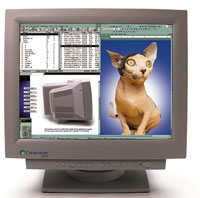 When image is everything, a high-end, high-resolution display is worth the price
Don't ruin your eyes
Check the fine print
Think big
J.B. Miles writes about communications and computers from Pahoa, Hawaii.
The Cornerstone p1600
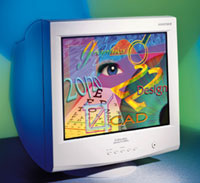 | The Mitsubishi Diamond Pro 2020u is a 22-inch aperture grill monitor with a 0.25-mm dot pitch and 1,800-by-1,440 resolution. It's priced at $1,339. |
Don't ruin your eyes
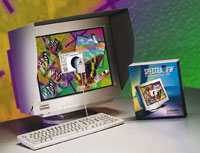 | Mitsubishi's SpectraView 1000 has a 21-inch screen with 1,600-by-1,200 resolution at 75 hertz. It's priced at $2,324. |
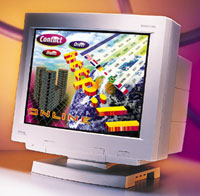 | The DiamondPlus 100e from Mitsubishi Electronics has 1,600-by-1,200 resolution at 85 hertz and a 0.28-mm dot pitch. It's priced at $874. |
Check the fine print
Think big
- Investigate manufacturers' return policies and warranties. Return your monitor immediately if it is damaged in transit or shows any signs of dead pixels.
- Pair high resolutions with fast refresh rates for optimum image quality.
- See if your monitor and PC have convenient USB connections.
- Avoid built-in monitor speakers because they are generally inferior and cannot be replaced when they go bad.
- Read the fine print about resolution, refresh rate and dot pitch before
you buy.
J.B. Miles writes about communications and computers from Pahoa, Hawaii.
NEXT STORY: THE BOTTOM LINE