By J.B. MilesSpecial to GCNIt used to be a no-brainer. For fast, low-cost text output, information technology managers bought monochrome laser printers for their workgroups. When they needed bursts of color for reports, slide shows or occasional graphics, they supplemented the lasers with inexpensive ink-jet printers. Case closed.Now, thanks to bigger, faster print engines, RISC processors, excellent printer management software tools and plenty of memory, color laser printers are quickly becoming viable all-in-one options for budget-conscious workgroup managers who require quality output.Historically, color laser printing at the workgroup level left much to be desired. You could get a speedy 50-page-per-minute behemoth from Xerox Corp. or IBM Corp., but at prices of $100,000 and up they were hardly suitable for workgroup use.Smaller color lasers tended to be slow, with color image quality that ranged from spotty to awful, and for some reason, manufacturers of small color lasers hadn't yet considered the networking requirements of typical workgroups.The result was often a mishmash of color laser and ink-jet printers serving separate workgroups scattered throughout a building or department.Until recently, prospective buyers had trouble finding color lasers with much to recommend them except for faster text output and lower per-page costs than similarly priced color ink-jets.That situation is rapidly changing. This roundup of color laser printers describes 49 units with the muscle to capably serve most small workgroups. I set $10,000 as the price limit for a workgroup printer; happily for buyers, most of the units in this Buyers Guide cost much less.To make the list, a color laser also had to be capable of delivering at least 3 ppm of color output; many here deliver twice or four times that. I also looked for network readiness; all but a handful of the color lasers listed are network-ready, with options such as networking software and network interface cards. If you want these options with printers that don't have them, expect to add $500 to $1,000 to the base price.Many of the models listed come with built-in NICs and networking software right out of the box. They all provide drivers for Microsoft Windows 9x, and many provide drivers for Windows NT, Apple Mac OS 7.5 and later, and various flavors of Unix.All but one'QMS Inc.'s new, low-priced Magicolor 2 DeskLaser'comes with its own RISC processor. In most cases, today's demanding color applications at high resolutions require a printer with its own processor.As with printers in general, your selection of a color laser printer should be determined by the print requirements of your organization. This usually includes the types of print jobs most often undertaken, the number of people requiring printer services, the quality of images required and the overall printing budget for your department or workgroup.There are a few specifics to consider:Speed. A small workgroup, or a large one with occasional color printing requirements, can make do with a 3- or 4-ppm unit that might be capable of producing 12 or even 16 ppm of black-and-white text.Konica Business Technologies Inc.'s KL-3015 ForceColor, Lexmark International Inc.'s Optra SC 1275 and QMS' Magicolor 2 DeskLaser are good examples of sub-$2,000 units offering 3- or 4-ppm color print speeds along with networking options and fairly hefty 12- to 16-ppm text output.Need more speed? You'll need a more robust print engine with a more powerful internal RISC processor. Canon USA Inc.'s imageClass C2100 series and Hewlett-Packard Co.'s 8500 series offer 6-ppm color output with 24-ppm ratings for text, but they are priced at more than $5,000.All models in Lexmark International Inc.'s LED-based Optra Color 1200 series provide 12-ppm color output at prices starting at $5,299. LED printers are first cousins to lasers. They use stationary light-emitting diodes instead of the lens and mirrors used by lasers, which allows for a single pass around the drum and results in fast image transfer speeds.Resolution. Virtually all color lasers offer resolution of 600 by 600 dots per inch. In many cases, the quality and sharpness of the image can be enhanced by using vendor-specific software such as Hewlett-Packard's ImageREt 2400. The use of such software often results in resolution quality of 1,200 by 600, 1,200 by 1,200 or even 2,400 by 1,200 dpi.Paper handling. Color lasers for workgroups generally come with 250-sheet or 500-sheet trays capable of managing 8.5- by 11-inch paper in varying weights. For workgroup use, or when the printer is networked, it's wise to buy an option that expands the paper-handling capability of the device to cut down on time spent restocking the printer.If you require tabloid pages, which measure 11 inches by 17 inches, Hewlett-Packard, Lexmark, QMS, Tally Printer Corp. and Tektronix Inc. can meet your requirements with a wide-format color laser.Tally's SpectraStar T8204 and T8204+ are wide-format printers priced at less than $7,000. The T8204+ has more memory and an internal hard drive for higher resolutions and speeds. Tektronix's Phaser 780 A3/ Tabloid model comes with standard Ethernet interfaces and an optional SCSI hard drive, with prices beginning at $6,095.Duplexing. Duplexing is the ability to print on both sides of the page. Many printer manufacturers list manual duplexing as a feature, but that means you turn over the pages yourself.Often featured only among high-priced production units, built-in automatic duplexing is available in Hewlett-Packard's Color LaserJet 8500DN, QMS' Magicolor 2 DeskLaser Duplex and Tektronix's Phaser 740 Duplex. Some other printers listed in the chart offer duplexing as an option for an additional cost.Printer management tools. Most color lasers come with vendor-specific management applications, such as Hewlett-Packard's JetAdmin, Lexmark's MarkVision and Tektronix's PhaserShare. Each application has the same goal: user-friendly printer setup and operation.Unfortunately for users in the past, different versions of these tools were required for different operating systems and platforms, which led to management headaches when setting up the same printer in different sites for different workgroups. But now, for example, setting up a Lexmark Optra 1275N with MarkVision under Windows NT is similar to setting up an Optra Color 1200n under Novell NetWare.Color management. Like printer management tools, the use of color management applications is much improved in today's color laser models. Most color laser printers now have built-in RISC processors, extra memory and better overall technology than they used to, so the difference between average and excellent output is often found in the color management applications that come with the units.Along with vendor-specific applications such as Canon's ColorGear, Tally's TallyColor and Tektronix's TekColor, look for an assortment of useful third-party tools such as ColorSync from Apple Computer Inc., colorWise from Electronics for Imaging Inc. of Foster City, Calif., and various products from Pantone Inc. of Carlstadt, N.J.Print languages and fonts. Most color lasers come with both Adobe PostScript and HP PCL 5c printer emulations and an assortment of type fonts compatible with either language. The best printers are capable of determining the language a host computer is using and automatically making a switchover if required.Networking. As mentioned, most of the featured printers provide networking options in the form of additional ports, networking software and NICs. Fully networkable models are denoted with the letter 'n' in their name or model number.Networking software is usually based on Simple Network Management Profile protocols, letting the printer communicate with other network devices and be managed from a remote console on the network. If vendor-specific management software products are provided, it's recommended that you use them. One example is Minolta Corp.'s Minolta Network Utility and PageScope network printer management utilities.Similarly, almost any Ethernet or token-ring NIC can be installed with a networked printer, but many vendors provide their own printer-optimized NICs'Lexmark's MarkNet series, for example'and I suggest using them with their printers. For small workgroups a 10-Mbps Ethernet card is sufficient, but for large workgroups with large print applications, I recommend a 10/100-Mbps Fast Ethernet NIC.Ports. Just about all color laser printers come with a serial port and one or more high-speed bidirectional parallel ports. I'm still amazed at the paucity of color lasers with Universal Serial Bus connections, but I expect more of them to show up by year's end.Cost of consumables. These include the cost of toner cartridges and paper. Typical color lasers print about 4,500 pages of black text using black toner at 5 percent coverage. Color printing involves the use of cyan, magenta and yellow toner, and about 3,500 pages can be printed at 5 percent coverage.Most toner cartridges range between $65 and $85. The cost of paper depends on its weight, gloss, size and overall quality. You can get by at a cost of about 3 cents per page with a splotch of color, but more color, better paper and higher resolution settings will cost a lot more.Multifunctional devices. Many of the printers come with copying or scanning options that are fine for limited use, but don't depend on them for production work.Similarly, all-in-one, or multifunctional, devices that include a copier, flatbed scanner and ink-jet printer are fine for personal or small-office use where demands are usually low. Their components generally represent the lowest common denominator for the technologies involved, however, so they are aren't advised for more demanding workgroup tasks and are not listed in this Buyers Guide.On the other hand, manufacturers such as Canon and Panasonic Communications & Systems Co. do include some high-end copier and scanning functions with some of their printers. For that, you be the judge.
Faster speeds and more memory let you have your fast workgroup printer and color, too NICs and driversTips for buyers
- Don't overbuy. A high-end printer such as Hewlett-Packard's $9,049 Color LaserJet 8500DN can make you drool because it's packed with features, but HP's $2,499 LaserJet 4500 might do just as well for a small workgroup.
- Don't underbuy, either. Don't settle for a $2,000 non-networkable unit if you plan to upgrade. Buy a network-ready printer that can be outfitted with more memory, a hard drive and an assortment of network interface cards.
- Make an estimate of the monthly cost of consumables before you buy your printer, then double it.
- Know that speed isn't everything. Also find out a printer's expandable memory, RISC processor, hard drive and paper handling options.
- Try before you buy, and check the manufacturer's warranty and return policies.
J.B. Miles, of Pahoa, Hawaii, writes about communications and computers.






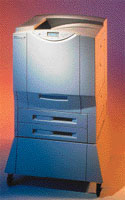 Faster speeds and more memory let you have your fast workgroup printer and color, too