
Flat displays are where it's at, at a price





The CRT monitor is the biggest space hog on a desk, and most users would jump at the chance to replace the bulky tube with an elegant LCD'but only if they didn't have to spend a lot of money or sacrifice image quality.
By John Breeden IIGCN StaffThe CRT monitor is the biggest space hog on a desk, and most users would jump at the chance to replace the bulky tube with an elegant LCD'but only if they didn't have to spend a lot of money or sacrifice image quality.LCD monitors, unlike most other desktop hardware, have become more expensive because of fluctuating markets. Only three of the 10 15-inch LCDs tested by the GCN Lab cost less than $1,000, whereas a few months ago vendors were pushing to break the $1,000 price barrier.Image quality varied even more than price. Some monitors looked so dim they would be difficult to see in a standard fluorescent-lit work environment. To compensate, some monitors could be set so bright that color definition was washed out. Few of the LCDs seemed suitable for out-and-out CRT replacement.At the top of the group, Apple Computer Inc.'s Studio Display had a new color scheme aligning it with the popular Apple iMac and G3 systems, but otherwise not a lot has changed since the lab last looked at it [GCN, June 22, 1998, Page 1].The latest Studio Display, which works with both PCs and Apple computers, stood out for its excellent color depth and its on-board controls, which were the most elaborate of the monitors reviewed. They could control brightness, contrast and white point balance, meaning the already excellent color depth could be tweaked to suit any user. Of all 10 monitors, the Studio Display was the most pleasing to look at for long periods, and it easily earned a Reviewer's Choice designation.It also had the best-built monitor stand, with a spring mechanism to counter the unit's weight. The monitor could tilt horizontally. Although the stand had a large footprint, a special attachment framed the monitor like a picture, ingeniously matching the footprint to the size of the monitor.The only area where the Studio Display failed to perform as well as a CRT was in viewing angle. It was wider than that of most LCDs but fell substantially below the advertised 180 degrees. At about 150 degrees off-center, the image became unreadable in a standard office environment.Another strong performer, the ViewSonic Corp. VP150, had the best brightness of any display. The screen was easy to read in any lighting'even when direct sunlight streamed onto it.Amazingly, the superior brightness did not come at the expense of color depth. The VP150's standard brightness setting was perfect for most applications, and photographs and images looked clear and realistic without obvious dithering. Photographs had none of the color swirling seen on some other LCDs.The unit's large footprint of almost 11 inches was somewhat less than that of a similar-sized CRT. The $1,140 price also was on the low end. The VP150's impressive performance earned it the other Reviewer's Choice designation in the review.A surprise performer, Korea Data Systems' VS F-15, was the lightest and smallest in the group but a heavyweight champ in performance. At just $938, the KDS VS F-15 earned the lab's Bang for the Buck designation.It showed once again that looks can be deceiving. At first glance, it appeared to have no controls; they were hidden in the back. Nor was a software driver disk included, which ordinarily would reduce the product's score, but the F-15 really needed no extra controls.When it was plugged into a PC, it automatically grabbed a standard LCD driver from Microsoft Windows. The standard driver produced clear images nearly as bright as those of the two top performers. The only problem was that black and dark colors tended to wash out slightly at higher brightness settings.The F-15 did, however, come with a tune-up disk. When I inserted the floppy and ran the program, it tested the monitor for about 30 seconds and then set the default values for brightness, contrast and refresh rate to their optimum settings. It did a great job of figuring out the settings, making setup a breeze.A bonus: The power cord and VGA umbilical cord were combined, which meant less cable spaghetti lying around. Conversely, the combined cord might make it more difficult to get the monitor working, but such design features are unexpected in an inexpensive analog LCD.The NEC Technologies Inc. 1510+ drew a score nearly high enough to warrant a Reviewer's Choice designation, but its $1,440 price held it to a slightly higher standard.The NEC shone in performance. It had a nearly 180-degree viewing angle, and text was easy to read well beyond the usual 160 degrees.The 1510+ also sported wonderful color depth. One negative: Cables were in a spot that made them difficult to attach, so setup was not as easy as for the other monitors.On the surface, the PanoView 751 from CTX-Opto Inc. had all the extras a monitor user could want, including an analog and a digital connection, a four-bay Universal Serial Bus hub and 90-degree screen rotation for displaying documents lengthwise.But its performance was like sailing a yacht with the anchor dragging. The PanoView 751 had the lowest brightness of any unit tested. Even cranked up to the highest setting, it was difficult to read text with overhead lights on. Darkening the room helped, but few workers can turn off the lights whenever they have to read an e-mail.The 751's large desktop stand could not adjust vertically, and the monitor failed to clear its own base when it was rotated 90 degrees, so the corners got stuck.It could be tilted up a good distance and then rotated successfully, but most users will likely end up banging the LCD against the stand a few times.On the bright side, the monitor had a near-180-degree viewing angle, or about 90 degrees when tilted vertically. Users who want all the bells and whistles can go with the 751. Otherwise, just about any other monitor in this review would be a better choice.Another LCD with brightness problems was the Compaq TFT5000S. It had above-average display quality and color depth but was not very bright.The TFT5000S images, though not nearly as dim as the PanoView's, were still difficult to see.The unit also suffered from poor viewing angles. Text began to fade at just a few degrees off dead center along the horizontal axis and faded even faster along the vertical.The TFT5000S's problems with brightness and viewing angle put it close to the back of the pack.The Sceptre Technologies Inc. BT 15G+ made a splash as the only monitor with stereo speakers, and they sounded quite good. Color depth was excellent and images crisp. Brightness was less outstanding but adequate for most applications.Ironically, the BT 15G+ fell down in one area where it could shine: visual applications that require sound. I tested each monitor using a computer game called Half-Life from Sierra Studios of Bellevue, Wash.The game's realistic simulations demand a good monitor that can distinguish objects in darkened areas.The BT 15G+ rendered the images perfectly, if a bit dimly, but every few seconds a warning popped up on screen saying that image frequency was too high. I got similar results with other applications.The addition of sound would have made these applications easier to navigate, but the warning messages make most of them unusable.The BT 15G+ could be a good choice for users who need good sound quality but don't use a lot of DirectX applications.The Eizo Nanao Technologies Inc. Flex-Scan L360 also had lots of extras. Its case was the sturdiest of all, having an excellent center of gravity for a midsize 6.5- by 9-inch footprint. The square case at the bottom incorporated a four-bay USB hub, putting it in line with the lower-performing PanoView 751.As a bonus, the L360 could accept two inputs, making it a switch of sorts fora user with two computers. The user could move from one display to the other with a single touch of the monitor's control panel.Performance, however, was below average. Color depth was poor, and if brightness was set to anything higher than 80 percent the too-powerful backlight overwhelmed the screen image. Running the monitor at the highest brightness setting was about as comfortable as staring at the sun. The L360 did, however, show good image quality after I tweaked it at a 150-degree viewing angle.The Eizo, though comparatively expensive, would be a good choice for nontechnical users who need a USB hub, or those who want to plug two computers into one monitor. They would have to fiddle with the controls frequently, but office applications should show up fine.IBM Corp. turned in its typical solid performance with the 9513-AG1, a plug-and-play display that looked good right out of the box. Color depth and brightness were both excellent, but one flaw held the 9513-AG1 back from superstardom.Background colors tended to swirl with some graphics cards, including those with the standard Intel 810 chip set. I tried changing refresh rates and other settings but could never totally rid the 9513-AG1 of the hypnotically swirling colors. The foreground text looked great, but the oceanlike background earned the IBM unit below-average marks for image quality.If IBM could fix the image swirl problems, the 9513-AG1 would be a stellar performer, matching the color depth and brightness of the Studio Display.The final LCD in the review, the Optiquest Corp. L700, came from a division of ViewSonic, and I expected its performance to be similar to that of the VP150.Although it shared the same excellent color depth as the slightly more expensive VP150, it did not have as much brightness. On paper the brightness specifications were the same, but the L700 did not use its available backlighting well.The L700 did perform extremely well at the difficult task of displaying true black. The black was so good that I had the illusion of looking into a dark, empty box. Most LCD backlighting throws too much light into black and darker colors, but the L700 did an excellent job with all dark hues.The case was stumpy and the viewing angle average. The L700 could serve most users well, but it did not jump out as the best in any area except for rendering dark colors.Despite rapid advances in LCD technology, users who demand perfection from their monitors will want to stick with their CRTs. But the typical office user will get good quality and very little eyestrain from most of the LCDs reviewed. Plus, they will see something few users of large CRTs ever observe: the tops of their desks.
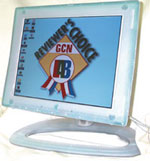 The GCN Lab tests 10 LCDs; most deliver good image quality, but only three cost less than $1,000

Bright concept
Disk is it
A sound difference
Moving on
GCN Lab assistant Donovan Campbell contributed to this report.
The stylish Apple Studio
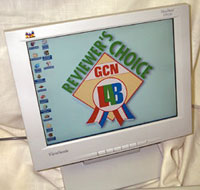 | The ViewSonic VP150 delivers impressive overall performance, brightness that's perfect for most applications and excellent color depth for less than $1,000. |
Bright concept
Disk is it
 | Each of the eight LCDs the lab reviewed xcelled in individual areas. They are, from left, the Eizo FlexScan L360, Compaq TFT5000S, Sceptre BT 15G+, CTX PanoView 751, NEC MultiSync LCD1510+, IBM 9513-AG1, Optiquest L700 and KDA VS F-15. |
A sound difference
Moving on
| 10 flat-panel monitors show promise for replacing desktop dinosaurs | |||||||
 | Studio Display Apple Computer Inc. Cupertino, Calif. 408-996-1010 www.apple.com | TFT5000S Compaq Computer Corp. Houston 800-727-5472 www.compaq.com | PanoView 751 CTX-Opto Inc. Sunnyvale, Calif. 888-289-6786 www.ctxopto.com | FlexScan L360 Eizo Nanao Technologies Inc. Cypress, Calif. 562-431-5011 www.eizo.com | 9513-AG1 IBM Corp. Armonk, N.Y. 888-411-1932 www.ibm.com | ||
| Price Viewable area Footprint size | $1,033 GSA 15.1 inches 15 by 9 inches | $1,177 GSA 15.1 inches 9 by 8 inches | $1,045 15.1 inches 10 by 8 inches | $1,409 15.1 inches 6.5 by 9 inches | $1,289 15 inches 8 by 7 inches | ||
| Pros | x Beautiful color depth x Best monitor standin review | x Excellent color depth x Cables out of the way | x Near-180 degree viewing angle | x Can handle two signal inputs x Small, compact stand | x Very bright display x Nice control buttons | ||
| Cons | x Viewing angle not above 180 degrees | x Screen dim even at brightest setting | x Washed-out colors x Not bright enough | x Higher brightness washes out color quality | x Background appears to swirl | ||
| Extra features | x RCA composite and S-video connectors | N/A | x Rotates 90 degrees x Four-port USB hub x Digital monitor connector | x Four-port USB hub | N/A | ||
| Grades | |||||||
| Clarity Color depth Brightness Features Ease of use Viewing angle | A A+ A A A B+ | B A C C C C- | C- C- D A C A | B C- C- A- B B- | C+ A A B- B C | ||
| Overall Grade |  |  |  |  |  |  | |
| VS F-15 Korea Data Systems Garden Grove, Calif. 800-237-9988 www.kdsusa.com | MultiSync LCD1510+ NEC Technologies Inc. Itasca, Ill. 800-836-0655 www.nectech.com | L700 Optiquest Corp. Walnut, Calif. 800-843-6784 www.optiquest.com | BT 15G+ Sceptre Technologies Inc. City of Industry, Calif. 800-788-2878 www.sceptre.com | VP150 ViewSonic Corp. Walnut, Calif. 800-888-8583 www.viewsonic.com | ||||
| $938 15 inches 8 by 6.5 by 9 inches | $1,440 GSA 15 inches 7 by 8 inches | $958 GSA 15.1 inches 10 by 11 inches | $1,094 15 inches 11 by 5 inches | $993 GSA 15 inches 10.5 by 7 inches | ||||
| x Power and VGA on same cable | x Excellent near-180-degree viewing angle x Good color depth | x Black and dark colors appear near-perfect x Good brightness | x Excellent sound x Easy setup | x Best brightness x Snap-off back allows easy setup and cable storage | ||||
| x Dark colors washed out at higher brightness | x Cables difficult to reach x Stand difficult to adjust | x Limited viewing angle x Awkward case | x Display sometimes dim | x Footprint too large | ||||
| x Rotates 90 degrees | N/A | x Built-in stereo speakers | N/A | N/A | ||||
| Grades | ||||||||
| B+ B+ B+ B+ A A | A B A- B- C+ A+ | A A B B C C | A B- C A- A- B- | A A A+ B A A | ||||
 |  | | | | | | ||
GCN Lab assistant Donovan Campbell contributed to this report.