
REMOTE ACCESS SOFTWARE: Still needed after all these years?
Featured eBooks





What if they published a software program'and nobody cared?
By Mark A. KellnerSpecial to GCNWhat if they published a software program'and nobody cared?That hasn't happened in the category of remote access software yet, but some users think it will. About a dozen years after the category arrived on the scene, the once-booming market has slowed, observers say, and now is dominated by two or three vendors.What happened? Some would say the growth disappeared in a cloud: an Internet cloud, to be precise. We're at the brink of being a networked nation'a wired world'and many tasks formerly restricted to special software can be done with the click of a mouse over the Internet, which in many network schematics is depicted as an amorphous cloud.'Browser-based access to your office desktop [PC] delivers a pretty fair degree of functionality for retrieving mail' via the Internet, said Neil Greco, a senior marketing manager at Compaq Computer Corp.'s services unit in Norwood, Mass. Even though his unit publishes Carbon Copy remote access software, Greco said, 'I do most of my mail through [Microsoft] Outlook's remote [access feature].'Microsoft Corp. has built remote-access features into its Outlook program, letting users configure the software to retrieve IP e-mail from virtually any accessible server via an Internet connection.The company also has given the Windows operating system stronger file transfer capabilities than before, making it possible for a user to connect with a remote computer and shift files via a dial-up or Internet connection. This was another prime application for remote access software in days gone by.And the latest version of Microsoft's Office suite, Office 2000, debuted in June with the promise of 'webified' applications that can share files over the Internet and let users work collaboratively'tasks that come mighty close to remote-control computing.The speed and quality of these applications might not match those of remote access software yet, but clearly, a trend is afoot.Add to this the current mania for enterprise management tools from companies such as Tivoli Systems Inc. and Computer Associates International Inc., and you've got a brave new world facing publishers of remote access software.But it's not time to count out these programs yet, observers and marketers say. For one thing, not everyone uses the latest version of Windows or Office.And as the computing world evolves, the nature of remote access software is evolving, too'into a tool by which information technology departments can provide tech support virtually anywhere, or control the functions of a remote computer.'In tasks such as these, remote access software far outpaces any other solution, its promoters insist.For example, Compaq's Greco said that when a user tries to open a PowerPoint file on a remote system using Outlook or a Web access system, performance plummets.'The pipe we send information across is not large enough or fast enough for us to perform remote control functions through Hypertext Transfer Protocol,' he said. 'We're all trying to figure it out.'Theresa Nozick, an industry analyst with Mobile Insights of Mountain View, Calif., said, 'There are lots of interesting Net-based solutions out there now which allow us to access our data, in many cases for free. But for enterprise users, the biggest issue is security. [Systems managers] seem to favor customized remote access software solutions to ensure the integrity of the data.'Users could survive not using these types of products, but most of them wouldn't want to,' Nozick said. 'Users, particularly those who travel often or are remote, want to see their system work as close to an on-campus, LAN-connected PC as possible. It makes sense because it affects their productivity.'Adapting remote access software to today's scene requires a heavy emphasis on remote support and on Internet access, said Charles LaForge, senior product manager at Symantec Corp.'s remote software unit in Melville, N.Y. The company's pcAnywhere, now in its ninth version, has changed with the times, he said.'What pcAnywhere provides is the ability to get to that PC at the office to transfer files, synchronize files, remotely run applications,' LaForge said. 'It's also a great tool at the office to connect to people working at home or in a hotel room. When they call back and say, 'I'm having problems with my config files,' or 'My PC isn't working properly,' the help desk can call the user and troubleshoot the problem directly.'People are using the product today who have a need to dial into a specific system, or we have people using it for small business to kick off a nightly batch process,' LaForge said.So, if there's still life in these products, what's new? One capability of the newest version of pcAnywhere is to make remote access easy for an IT support team.The company claims the new software lets IT managers preconfigure installation and run-time settings as part of the remote installation procedure. Called a Host Administrator, the new utility also lets administrators view the security log on each machine.'Basically, pcAnywhere has been optimized to provide the best performance, whether using high speed connections or a modem connection,' LaForge said. 'It's easy to use, flexible and it's a great remote access tool and an excellent remote support tool.'That emphasis on remote support isn't unique to Symantec. At Compaq's services unit, Greco said that one key application could be filed under the category of 'Computer maker, heal thyself''or at least, heal thy users.Compaq bundles a customized Carbon Copy client on each PC it sells, he said. The software is used by the company's tech support center to reach customers who are having technical difficulties. The company achieves a 98 percent first-call completion rate, Greco said. Compaq's experience with remote access software that is used to solve technical hassles also has implications for other organizations, he said.'Remote support is the next breath of fresh air for remote access software. This technology has been around for a dozen years now, but the whole notion of remote support is really starting to catch fire. Organizations are able to attach a return on investment to the remote support application,' he said. 'Remote support has very tangible benefits that organizations can measure.'Greco also touted Compaq's adoption of connection technologies such as Microsoft's Internet Locator Service, or ILS. With it, he said, 'an organization can set up a system so remote users can publish their availability on ILS server and the support center doesn't need to know a phone number or IP address; they can just click on a user's name and take control of a remote device.'Complicating the remote access situation are Internet firewalls and virtual private networks, which are growing in popularity among large organizations.Ray Suarez, a product marketing manager with Axent Technologies Inc. of Rockville, Md., said the reason many organizations use a firewall is simple: security.A firewall protects people inside a corporate network, he said. 'Firewalls are used to separate the corporate network from the Internet. It's not just you on the Internet, there's 30 million people out there.'Getting through the firewall can be done using one of two Axent products, Suarez said. First is RaptorMobile software, a $99 product that works with Axent's Raptor firewall software to let authorized remote users gain access to the network.The other is the company's PowerVPN product, a site-licensed service that combines Internet access to an organization's main computing hub with secured and authenticated access.According to Suarez, the alternative to having a VPN 'is to set up 100 modems, manage those modems, then you must buy 800 lines, etc., and have someone to manage it all. The more people you have, the more expensive it is.'A VPN moves the whole infrastructure headache out to the [Internet service provider], which is typically better suited to handle this.'By using a product such as PowerVPN, he said, users can control the security end of communications while allowing others to handle the networking hassles.And what is the future for remote access software? You can expect more consolidation in the market, analyst Nozick said, and probably more efforts by Microsoft to incorporate remote features into its products.Bob Beech, a senior vice president at Traveling Software Inc., maker of LapLink Professional, said, having communications options for remote file transfers will remain important.'Whether you're on the Internet or dialing in, people are going to want choices,' Beech said. 'In the future, we're working on releasing some file transfer products designed for the Internet. It's a core strength of ours and we've done a lot of research on how people do file transfers. There are a lot of things that can be done to make it an easier, better experience.'Instead of being written off, then, the history of remote access software may be entering a new phase.
Although the Net is making some programs obsolete, demand for remote support and training beckons
Times are a-changin'
The choice is yours
Count on options
Mark A. Kellner is a free-lance technology writer in Marina Del Rey, Calif. He
can be reached via e-mail at mark@kellner2000.com.
Get a technical support boost using one of these eight remote access applications
 |
Although the Net is making some programs obsolete, demand for remote support and training beckons
| Five things to find out before you buy: | |
|
|
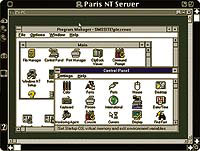 | Timbuktu Pro 32 from Netopia Inc. allows device-independent screen sharing among Windows NT machines and computers running other operating systems. It's priced at $139 for a twin pack. |
Times are a-changin'
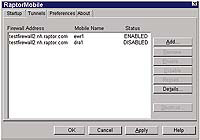 | Axent Technologies Inc.'s Power VPN uses multiple levels of encryption to set up a secure communications path; it works over a dial-up or Internet connection. |
The choice is yours
Count on options
Mark A. Kellner is a free-lance technology writer in Marina Del Rey, Calif. He
can be reached via e-mail at mark@kellner2000.com.
Vendor | Product | Platform | Features | Price |
Apple Computer Inc. Cupertino, Calif. 408-996-1010 www.apple.com | Apple Remote Access Client 3.0 | Mac OS | Lets remote users access Mac servers and networks using dial-up connections and PPP networking; features security controls to set access privileges | $59 |
Axent Technologies Inc. Rockville, Md 301-258-5043 www.axent.com | PowerVPN | Win9x, NT | Supports NT and Solaris servers; has multiple encryption levels: DES 40-bit and 56-bit, and Triple DES with two keys, 112 bits, or three works over dial-up or Internet connection keys, 168 bits (Triple DES not for export); | Varies by configuration: a 100-user license is $42,000 per year, including a monthly Internet access fee of $19.95 per user |
RaptorMobile | Win9x, NT | Works over dial-up or Internet connection in conjunction with Raptor firewall software | $99 | |
Compaq Computer ''Corp. Houston 281-370-0670 www.compaq.com | Carbon Copy 32 V 5.0 | Win9x, NT | Provides remote access and control of PCs via dial-up or Internet connection; supports Microsoft Internet Locator Service to link users to support via the Web; allows voice over data calls on a single phone line | $99 |
Netopia Inc. Alameda, Calif. 510-814-5100 www.netopia.com | Timbuktu Pro 32 | Win9x, NT | 32-bit software features device-independent screen sharing between NT machines and other computers without changing video drivers | $139 (twin pack) |
Timbuktu Pro 5.0 | Mac OS | Provides connections via dial-up or IP locator service to find users online; has voice-data switch on phone line calls, voice over IP on Internet connections | $99 | |
Symantec Corp. Cupertino, Calif. 408-253-9600 www.symantec.com | pcAnywhere 9.0 | Win9x, NT | Has a wide range of fast connection types; offers remote network management, centralized management and control of remote systems | $169 |
Traveling Software Inc. Bothell, Wash. 800-343-8080 www.laplink.com | LapLink Professional | Win9x, NT | Has remote control, file transfer features; supports a wide range of connection types, including direct dial, USB, AirShare wireless, FIR, Internet, IPX, IrDA, ISDN and CAPI 2.0/ISDN, parallel and serial cables, TCP/IP and Windows Dial-Up Networking | $149 |