
Firewalls




If your organization connects to the Internet, you should pay attention to your firewalls. You wouldn't leave your office door unlocked at night; neither should you leave your office's systems open to attack via the Internet.
By Pete LoshinSpecial to GCNIf your organization connects to the Internet, you should pay attention to your firewalls. You wouldn't leave your office door unlocked at night; neither should you leave your office's systems open to attack via the Internet.Securing an intranet is no simple task; just installing a piece of software won't cut it. A firewall, by itself, is not enough to protect a network, any more than even the strongest dead bolt is all that's needed to protect a building from intruders. But a firewall is an essential component of a successful security strategy.Firewalls come in both hardware and software forms. Although all firewalls are programmed, some are marketed as software products that can be installed on the hardware platform of your choice. Others are sold as standalone hardware units or as features of hardware routers. This guide includes firewalls of both types.Organizations started developing firewall devices in the early days of the Internet, when routers were set up to filter packets based on source and destination.A firewall box compares the addresses of all inbound and outbound IP packets with lists of addresses. If the addresses are OK, the packet goes through; if either of the addresses is restricted, the packet is dropped.Inbound packets must be scrutinized to make sure they are not coming from the wrong networks, while outbound packets are checked to make sure no one inside is trying to access an 'enemy' system. What might look like a user establishing a Telnet session could be a Trojan horse program readying an unauthorized link.Packet filtering firewalls also look at the packet's TCP or User Datagram Protocol ports. The ports numbered from 0 through 1,023, commonly referred to as well-known ports, are associated with specific actions'port 80 for Hypertext Transfer Protocol packets, port 20 for File Transfer Protocol, and so on. Transient ports, numbered higher than 5,000, are assigned by applications for ad hoc use.Combined with IP addresses, ports give firewall implementers an excellent tool for filtering out unauthorized access. For example, you can set up a firewall rule that excludes all packets sent to port 80 except those sent to the public Web server. Or you could exclude all packets sent to port 80 from a network address known to be used by hackers.Packet filtering is a good first pass for security, but it's not enough. If it's the only firewall security you have, you leave plenty of opportunity for attackers who can forge packet headers to look as if they are authorized.More troubling is that a packet filtering firewall could still leave your network assets uncovered by letting attackers gather information about specific hosts and subnets within your intranet'the first step in any attack.One way to shield your internal systems is to use application gateways, also known as proxies. Instead of looking at the lower-layer packet headers, application gateways act as intermediaries between users' systems and external systems.When someone attempts to download a Web page, for example, that user's system makes the request of the application gateway. The gateway scrutinizes the request to make sure it is not for a forbidden destination, type of data or transaction. Then, if the requesting system passes muster, the gateway submits that request to the destination Web site.The destination Web site interacts with the application gateway, treating the gateway as the source of the request; the gateway then passes along any requested material to the original requesting user. In this way, it acts on behalf of the user, so it is often called a proxy.If you use this approach, you need a different proxy for every application that is permitted across the firewall. Usually, this means a proxy for HTTP for Web interaction, FTP for file transfers and Telnet for terminal emulation, as well as for e-mail protocols and several other applications.Proxies are useful because a security manager can control precisely what type of applications can be used across the firewall; if there is no proxy for a specific application, that application can't be used.So packet filtering keeps tabs on what happens at the lower protocol layers, and application gateways control what happens at the application layer. But something fishy still could get past both functions.For example, a packet might seem harmless in its source and destination IP addresses and ports, but it could contain an attack inside the packet's application data. By the same token, a packet might be coming from an unauthorized host but have perfectly acceptable application data.This problem prompted development of another approach to firewall security: stateful packet inspection.Some firewalls include a packet inspection module that is applied to all packets and can analyze the entire packet in the context of all applicable protocols. An extension of this approach is to add 'statefulness' to the module, in which the state of the connections is taken into consideration when analyzing packets.For example, such a module can detect an attempt to send a packet representing itself as a protocol response when in fact no connection had been set up in the first place.In general, packet inspection is more efficient than running application gateway proxies. Inspecting packets is simpler than having to run two separate processes for each packet'one acting as a server to the internal user and one as a proxy client connecting to the external server. As a result, stateful packet inspection can provide security to a larger number of users.The more an attacker knows about your network, the easier it is to mount an attack. Just knowing the IP addresses of a host or a server can open that system'and others'to denial-of-service attacks as well as unauthorized-user hacks. One mechanism often used to keep private networks private is the network address translator, or NAT.The IP defines a set of private network addresses that are not intended to be forwarded to the global Internet. Anyone can use these addresses internally. A NAT serves as a sort of routing proxy for these private addresses. The NAT box has a single IP address, by which it connects to the Internet, and a private address by which it is connected to the private intranet.When a host inside the private intranet wants to connect to a Web site, it sends its request to the NAT box, which translates the packet so that the request appears to be coming from the NAT box itself. When a response comes in, the packet goes directly to the NAT box, which again translates the packet and resends it within the private intranet.NAT originated as a stopgap remedy for the shortage of IP addresses, but it is often used as a security remedy. It is far from a security panacea, as it can introduce as many problems as it solves, but it is often incorporated into firewall products.Basic firewalls all do essentially the same things: filter packets, provide proxy services and do stateful packet inspection. The market is sufficiently mature to require greater product differentiation, so firewalls now frequently include content filtering modules capable of detecting viruses and malicious Java or ActiveX code.The rising tide of distributed denial-of-service attacks has spurred development of countersecurity measures as well. NetScreen Technologies, for instance, last month introduced a software update, ScreenOS 1.66, to its NetScreen 100 hardware firewall that supplies a tenfold increase in the product's ability to repel attacks. With the update, NetScreen 100 can, for example, inspect 20,000 SYN packets per second, the company said.Many firewalls also include virtual private network features, letting remote nodes and networks establish secure connections across the Internet. But strictly speaking, VPN capability is a separate function from the firewall.A firewall's platform also can be an important buying consideration: If you have expertise in Microsoft Windows NT, you might prefer an NT-based firewall.Unix-based firewalls often are touted as being more secure than NT's, particularly those based on open-source versions of Unix such as Berkeley Software Distribution. In most cases, the firewall hardens the operating system by closing security holes and by eliminating unnecessary services that are used by attackers.Ease of use is a frequent though hard-to-pin-down feature often touted by vendors. Regardless of any claims, buyers should be aware that firewall security can be complex and that a simple interface could give users an unrealistic sense of security if the firewall is improperly configured.In deciding whether to buy a hardware device or software, you should weigh the relative factors of performance and flexibility. Firewall appliances can be easier to set up and may also be optimized for improved performance. But software firewalls can be installed on whatever hardware platform is available, and the platform can be upgraded relatively easily if necessary or moved into a different function later. Firewall appliances can be used only as firewalls.It is important to understand that installing a firewall is only one part of a security strategy: User authentication, VPNs, a public-key infrastructure and resource management should all be parts of that strategy as well.With that in mind, however, you can define requirements for your firewall as you evaluate your network's needs. For example, a small branch office could be sufficiently protected by a simple firewall appliance, but an entire department might require a high-volume system of hardware or software.When determining requirements, consider the number of systems behind the firewall, the number of concurrent users, the type of Internet connection in use, the degree to which internal systems must be protected, the resources available to maintain the firewall, and what security functions you want the firewall to perform.Choosing an adequate firewall can be relatively simple. The difficult part begins after it is installed: Security is an ongoing process, and firewall systems must be managed closely if they are to be effective.XXXSPLITXXX-
Hardware and software tools combine to help you build a line of defense
Please knock
Mother, may I?
One of a set
Pete Loshin of Arlington, Mass., is the author of several books about networking and Internet protocols.
 | NetScreen Technologies' NetScreen 10 firewall provides network address translation, user authentication and dynamic filtering. It's priced at $995 for 10 users and $1,795 for 25 users. |
Please knock
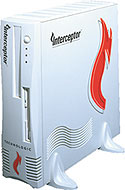 | Interceptor, a firewall appliance from eSoft, uses application proxies to check every connection crossing a firewall. It's priced at $3,745 for unlimited users. |
Mother, may I?
| Tips for Buyers |
'Application gateway proxies give you control over which applications are allowed through the firewall, but packet inspection can be a more efficient system of protection. 'System security isn't easy, so choose a firewall that works on a platform with which you are familiar. 'Hardware firewall appliances can be easier to install than software, but software products give you more flexibility. 'Some firewall products include virtual private network features, but a VPN functions separately from a firewall. 'No matter what product you buy, do not expect it to solve the problem on its own. Effective security requires active management. |
One of a set
 | SonicWall's SonicWall Pro, priced at $2,995 for unlimited users, is configured to detect and thwart denial-of-service attacks and can be updated through the company's software. |
Pete Loshin of Arlington, Mass., is the author of several books about networking and Internet protocols.
| Vendor | Product | Type | Special features | Platforms | System requirements | VPN | Proxy | Packet inspection | NAT | Price |
| Axent Technologies Inc. Rockville, Md. 301-258-5043 www.axent.com | Raptor Firewall 6.5 | Software | Includes option for objectionable content filtering | NT, Tru-64 Unix, Solaris, HP-UX | 64M of RAM (NT); 128M of RAM (Solaris/HP-UX); 256M of RAM (Tru64 Unix) | Optional | Yes | No | Yes | $1,995 |
| BorderWare Technologies Inc. Mississauga, Ontario 877-814-7900 www.borderware.com | BorderWare Firewall Server 6.1.1 | Software | Based on hardened open BSD OS | Intel Pentium | Intel Pentium II with 64M of RAM, 1G of hard drive space | Yes | Yes | No | Yes | $2,400 for 25-user license |
| Check Point Software Technologies Inc. Redwood City, Calif. 650-628-2000 www.checkpoint.com | FireWall-1 | Software security suite | Includes virus and other content scanning features, access control and authentication | HP-UX, IBM AIX, Solaris, NT, Red Hat Linux | 64M of RAM (128M recommended), 40M 40M of hard drive space | Yes | No | Yes | Yes | $2,995 for 25 IP addresses |
| Cisco Systems Inc. San Jose, Calif. 800-553-6387 www.cisco.com | PIX Firewall 515, 520 | Hardware | Includes cut-through proxy that authen- ticates on connec- tion and then passes security to lower layers | N/A | N/A | Yes | No | Yes | Yes | $5,000 up for PIX 515; $9,000 to $22,000 for PIX 520 |
| CyberGuard Corp. Fort Lauderdale, Fla. 800-666-4273 www.cyberguardcorp.com | CyberGuard Firewall for Unixware (also for NT) | Software | Incorporates static packet filtering, proxy and stateful inspection | SCO Unix, NT | Pentium or Pentium Pro, 64M of RAM | Optional | Yes | No | Yes | 50-user license with proxies: $5,995 for NT, $9,995 for Unix |
| eSoft Inc. Broomfield, Colo. 303-444-1600 www.esoft.com | Interceptor | Hardware | Firewall appliance using a hardened BSD OS | N/A | N/A | No | Yes | No | Yes | $3,745 up for unlimited users; $749 for annual maintenance |
| IBM Corp. Armonk, N.Y. 914-499-1900 www.ibm.com | SecureWay Firewall | Software | Supports Socks Version 5 protocol | NT, AIX | 400-MHz Pentium, 128M of RAM, 1G of hard drive space for NT; RS/6000 for AIX | Yes | Yes | Yes | Yes | $2,031 for one user; $15,199 for unlimited users |
| Internet Dynamics Inc. Westlake Village, Calif. 805-370-2200 www.interdyn.com | Conclave SE | Software | Part of an extensive security suite | NT | NT 4.0 | Yes | Yes | No | No | $219 up for 10 users |
| NetGuard Inc. Carrollton, Texas 972-738-6900 www.ntguard.com | Guardian Firewall | Software | Includes bandwidth management and user authentication | NT | NT 4.0 | Yes | No | Yes | Yes | $2,480 for 25 users |
| NetScreen Technologies Inc. Santa Clara, Calif. 408-330-7800 www.netscreen.com | NetScreen 5 | Hardware and appliance/VPN | Includes traffic- shaping capability | N/A | N/A | Yes | No | Yes | Yes | $995 for 10 users; $1,795 for 25 users |
| NetScreen 10 | Same | Same | N/A | N/A | Yes | No | Yes | Yes | $3,995 | |
| NetScreen 100 | Same | Same | N/A | N/A | Yes | No | Yes | Yes | $9,995 | |
| Network Associates Inc. Santa Clara, Calif. 800-338-8754 www.pgp.com | Gauntlet Firewall 5.5 | Software | Includes OS hardening to improve security | HP-UX, Solaris, NT | 128M of RAM, 2G of hard drive space | Yes | Yes | No | Yes | $6,000 for 1,000-user license |
| Novell Inc. Provo, Utah 801-861-7000 www.novell.com | BorderManager Firewall Services 3.5 | Software | Firewall services running on top of NetWare OS | NetWare 4.11 or higher | 80486 or Pentium processor, 128M of RAM, 500M of hard drive space | No | Yes | No | Yes | $995 for five-user license |
| Progressive Systems Columbus, Ohio 800-558-7827 www.progressive-systems.com | Phoenix Adaptive Firewall | Software | Linux-based firewall | Intel, Alpha, ARM | Red Hat, SuSE, Caldera or TurboLinux Linux distribution | Optional | No | Yes | Yes | $2,995 for unlimited users |
| Secure Computing Corp. San Jose, Calif. 800-379-4944 www.securecomputing.com | Sidewinder Security Server | Software | Based on hardened version of BSD OS | Intel | Pentium, 64M of RAM, 4G of hard drive space | No | Yes | Yes | Yes | $6,900 up for 100 users |
| SonicWall Sunnyvale, Calif. 888-222-6563 www.sonicwall.com | SonicWall Pro | Hardware and VPN appliance | StrongARM processor- based enterprise small and midsize products also available | N/A | N/A | Yes | No | Yes | Yes | $2,995 up for unlimited users |
| Sun Microsystems Inc. Palo Alto, Calif. 888-843-5282 www.sun.com | SunScreen SecureNet 2.0 | Software | Includes SunScreen EFS, SKIP support for 250 users, and Security Manager for Intranets | Sun Sparc/ Solaris | 32M of RAM, 1G of hard drive space | Yes | No | Yes | Yes | $9,995 for unlimited users |
| 3Com Corp. Santa Clara, Calif. 800-638-3266 www.3com.com | OfficeConnect Internet Firewall 25, DMZ | Hardware with proprietary OS | DHCP, Web-filtering option available | N/A | N/A | No | No | Yes | Yes | $565 for Firewall 25; $1,220 for Firewall DMZ |
| WatchGuard Technologies Inc. Seattle 206-521-8340 www.watchguard.com | Firebox II | Hardware | Midsize entry, based on minimal Linux implementation; others available for enterprise and small- office use | N/A | N/A | No | Yes | No | Yes | $4,995 for up to 500 authenticated users on a T1 link |
NEXT STORY: INTERNAUT