
Mac OS X takes a walk on the Unix side





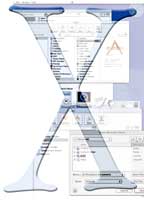
The Zen of X: Yes, Zen rhymes, because the X in Mac OS X is pronounced like 10.
| SPECIAL TO GCNThe Zen of X: Yes, Zen rhymes, because the X in Mac OS X is pronounced like 10.So why is it spelled X? First, it's not just an upgrade from OS 9; it's a whole new operating system from the ground up.Second, the X echoes the new OS' heritage. Like Linux, it is at its core a flavor of Unix. And third, Mac OS X is an unknown'an X-factor in the future of Apple Computer Inc.The beauty of Mac OS has always been its tight integration with the user's thought and work processes, based long ago on Apple's groundbreaking human interface guidelines.The Mac emoticon logo unifies the user's face and the Mac screen with a smile. Freewheeling file organization lets the user work idiosyncratically.Some Macintosh users keep nothing on the screen except the drive icons and a single folder, where they can sort files by date modified.Others scatter icons all over for current projects, viewing files alphabetically. If I had to work that way, I would lose my mind in X minutes. But the Mac OS has always encouraged individualized choices.OS X reins in this loose, forgiving style. For the most part, it's worth it.OS X is based on two open-source standards: the Berkeley Software Distribution of Unix and the Mach kernel developed at Carnegie Mellon University. A Unix foundation means a faster, more stable OS. It also means that Unix gurus now know how to work a Mac.OS X is easy to customize with the common Unix programs that are popular with power users and network administrators. For example, an administrator could run local file servers, secure Web servers and easy-to-use Mac desktop applications all on one network under OS X.OS X Server, a separate product, has been in use since 1999, but it does not have a client side for individual users.The combination of a robust multiuser networking system with the Mac's intuitive interface could establish a strong middle ground between Microsoft Windows NT and various flavors of Unix. If nothing else, it should boost Apple's reputation with the open-source community, which could be a key factor in Apple's survival.But it will take time to see how well Mac developers, open-source advocates and Apple can work together. OS X is not strictly open-source, and there is as yet no deep selection of native applications for OS X'although applications for Mac OS 9 can run under OS X in its Classic environment.I tested the OS X public beta, Build 1H39, on the G4 Cube.Unlike other Unix OSes, OS X can install on a Mac-formatted drive, so there's no need to erase it first. The OS can occupy its own disk or partition or coexist with OS 9, which it moves to a folder.Users, however, will want to have OS 9 on their machines before installing OS X, because that's the key to running current Mac applications after X is installed. To start in OS 9, a user goes to the System Disk control panel or simply holds down the Option key during start-up to get a choice.I found the public beta installer easy to use. It took about half an hour after, as always, backing up important data.I spotted the philosophical shift from OS 9 to OS X right away. Installation required a user name and a password, which are optional under OS 9. But OS X insists on the log-in because it supports multiple users with differing levels of control.Like Unix, OS X has a superuser privilege to change settings, and it can forbid ordinary users from altering system files. By default, starting the Mac automatically logs the last user back on. This is convenient for users accustomed to the old ways, but it affects security and should be promptly reversed in any network situation.The Aqua interface of OS X looks colorful, flashy and fast. Like all graphical user interfaces, it covers up a nongraphical, unfriendly back end. The average Mac user might never leave the GUI, but the shift will still be slightly confusing. Apple does its best to soften the learning curve with familiar interface behavior and clear feedback.More advanced users can pop up a terminal window and access a standard Unix shell command line while the OS X version of Internet Explorer chugs away in the GUI, displaying Web sites with point-and-click ease.In principle, using OS X is like running the Gnome or KDE GUI atop a Linux shell. But Linux users will have to admit that Apple built the interface right. Processes such as going online and changing system settings are much easier, compared with the open-source GUIs.OS X applications have uniform appearance and behavior, and the nuts and bolts never show. Compare the difficulty of installing LinuxPPC 2000 on a Mac [].The whip-fast graphics in OS X come from a new engine called Quartz. Everything looks great, from fonts to QuickTime movies. Less visibly, the Unix core makes possible protected memory and true multitasking.Protected memory means that each application's RAM is monitored and kept separate for more efficient use and fewer crashes. An app that founders doesn't take down the entire system.My only crashes came while using OS 9 applications through the Classic environment.True multitasking means more than one process can run at a time. Speed is somewhat slower, but it's an impressive improvement and a first for the Mac OS.Many system files are hidden to keep users from accidentally modifying them, but the Unix-savvy will manage to access the guts and make desired changes.When Mac users first see Aqua, they will instinctively look to the top of the screen for icons that represent the hard drive and any other disks. They aren't there.Also missing are the Apple menu at top left and the list of currently running applications at top right. In fact, the only icons available are ranked along the bottom of the screen in the Dock.The Dock's row of unlabeled pictures represents a catchall for shortcuts, open applications, and minimized folders and documents. Anchored by the Finder icon at the left and a snazzy new Trash can at the right, the Dock displays an ever-changing row of options.Rolling the mouse over an icon pops up its name. The Dock can be set to hide when not in use and to magnify the icons as the mouse rolls over them.Currently running applications have a little black arrow below their icons.It took this veteran Mac user a few days to get used to seeing everything from Web pages to control panels ranked equally in one location, but then it became easy to find things. All trips are to one place, so to speak, and the speed with which OS X pops up and magnifies the icons is helpful. Users whose work keeps dozens of similar documents in the Dock may find it less convenient than OS 9, however.The windows close, minimize or maximize with candylike stoplight buttons. Minimizing sends them to the Dock. The windows have good-looking drop shadows, and they fade to translucency when not in front.Shiny colors are everywhere; purists can turn them off in Preferences. But the new interface is not just about looks. Subtle but profound reorganizations have taken place that make work faster and smoother.For example, individual windows now own their alert dialogs. A dialog window is attached to the originating window and can be ignored or minimized along with it. In previous Mac OS versions, a simple 'Yes or No?' pop-up would stop the whole system until it got an answer.Also new in OS X, if the user starts working in, say, a TextEdit document, other open TextEdit documents stay out of sight until called for, even though they belong to the same application.Finder windows are well-designed to display a lot of information and provide a lot of ways of looking at it. Six buttons at the top take the user directly to often-used locations. Folder contents can be viewed as icons or sortable lists, or in a new hierarchical view that sweeps from left to right. Expandable and collapsible directories make disk organization as clear as possible.The current path appears in a vertical pop-up menu, and a little back arrow takes the user through a history of recently selected folders. It's a shame that applications use only some of these features in Open and Save.Many familiar elements of the Mac OS still remain. But one big adjustment for Mac users is the way the visible desktop display and the Finder have been split. The Desktop is now an application that controls Finder windows and is used to find and manipulate all files. But Mac users are accustomed to having the whole screen, in effect, as a giant Finder window. Now the function is further away from their fingertips.To copy files, for example, it's necessary to open two Finder windows, then drag the files from the source window to the destination window.Users who are speed demons at OS 9's Spring-loaded Folders and hierarchical Apple Menu will find themselves starting over.Another hard-to-assimilate change is the rigid file organization. For Unix and multiuser capability, OS X must keep certain files in certain locations. A single user does not, metaphorically speaking, own the entire hard drive. Not only are each user's files constrained to a particular folder, but within that folder things also must be arranged a certain way. Applications and system files should not be moved at all.Some customization is possible for more advanced users, but the Mac veteran who creates new folders all over the hard drive is going to run into trouble fast. OS X does not subject its file structure and screen real estate to a single user's whims.Users do get certain choices, however. The screen can be scattered with folder and drive aliases if desired. More importantly, the appearance options, available fonts, items in the Dock, mail accounts and Internet favorites, among other things, are all kept separate for each user.Even a standalone user could benefit from this capacity for multiple work styles, and a workgroup of any size would certainly find it useful.It's simple to make each user's files secure through Sharing options, but by default they are visible to everyone.A desktop operating system is just about useless without applications. OS X comes with Internet Explorer, a simple e-mail program called Mail and some utilities. Hundreds of other small apps have been written or ported for OS X, including a number of Unix classics. But the big apps such as Adobe Photoshop and Microsoft Office aren't ready to run under OS X at this time.Software developers have committed to making so-called carbonized, or OS X-ready, versions of their software in the near future, including the next version of Office. Promises, however, are not enough to make the new Mac OS viable. It's crucial that users be able to continue running their current Mac apps.The Classic environment launches an existing copy of OS 9 as an application under OS X. Running current Mac apps in the Classic environment is fairly transparent. The OS 9 Finder is not available, but desktop apps behave normally, use OS 9-style dialogs and even work at almost normal speed.The few crashes I experienced all seemed to be related to the transition between the two operating systems. With enough RAM, it's possible to run multiple applications in OS X and OS 9 at the same time. Now, that's a smooth transition.A few things in OS X did annoy me. Some will no doubt be corrected in the final version. Others are simply part of the transition to a new OS.I miss the Help balloons that could be summoned to give pop-up explanations of anything the mouse pointed at in the Finder, and in many applications as well.Help in the OS X beta consisted of a searchable database of uniform resource locators, which meant going online to find needed information.OS X still has About This Computer, but it lacks a quick view of which applications are open and how much memory each is using. That information often comes in handy.The Dock takes on the roles of Apple Menu, Application Switcher and repository of minimized files. It could be improved in capacity and flexibility by hosting pop-up submenus such as those in the OS 9 Apple Menu. And clicking anywhere in an item's territory should launch it, not just on the opaque bits of its icon. Items already slide around to accommodate newcomers; Apple should hold down other difficulties in finding and clicking on one's choice.In the beta release, the Classic environment's shutdown buttons were reversed. Telling Classic to keep running would shut it down and vice versa. This flaw obviously will be fixed in the final version.The beta version of QuickTime did a fine job of playing stunning movie previews. But it inexplicably failed to open older multimedia files.
It's not strictly open-source, and it needs more big apps, but this OS will be instantly familiar to Linux and Unix users
BY JOEL SPARKS
Need OS 9
Good GUI
GCN, May 15, 2000, Page 25
Different look
History lesson
In the interim
Joel Sparks, a free-lance reviewer in Silver Spring, Md., has been a government lawyer and database programmer.
BY JOEL SPARKS
Need OS 9
Good GUI
GCN, May 15, 2000, Page 25
| BOX SCORE |  |
| Mac OS X Public Beta PRELEASE VERSION OF NEW MAC OPERATING SYSTEM | |
| Apple Computer Inc. Cupertino, Calif. tel. 408-996-1010 www.apple.com
| |
| + Unix core instantly familiar to Unix and Linux users + Ready for multiuser and network situations + Good graphics and attractive interface + Runs OS 9 applications in Classic environment - Thin selection of native OS X apps - Some changes take getting used to | |
| Real-life requirements: Mac OS 9.0.4 on an iMac, iBook, Power Mac G3 or G4, G4 Cube or PowerBook introduced after September 1998; 128M of RAM; 1.5G of free storage; CD-ROM drive; Internet connection to download help | |
Different look
History lesson
In the interim
Joel Sparks, a free-lance reviewer in Silver Spring, Md., has been a government lawyer and database programmer.